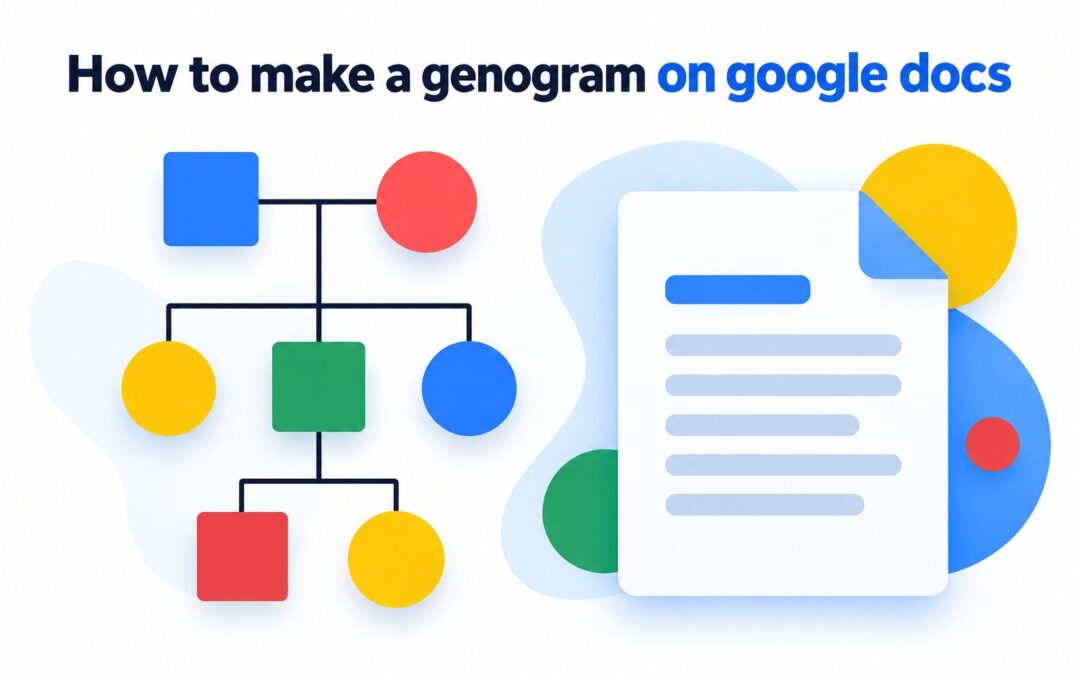
Learning how to make a genogram on Google Docs gives you a practical way to map family relationships, life events, and recurring patterns in a familiar workspace. Unlike a basic family tree, a genogram can show emotional connections, medical histories, marriages, separations, conflicts, and other details across several generations. Google Docs does not include a dedicated genogram template or automatic family-mapping tool, but its built-in drawing features are flexible enough for a simple project. You can create symbols, connect relatives with lines, add identifying information, and collaborate with other people without installing specialist software. The key is to collect accurate information first and use a consistent visual system throughout the diagram. This guide explains what a genogram represents, how to plan and build one in Google Docs, which symbols to use, how to handle sensitive information, and how to avoid common design mistakes. You will also find practical examples, expert tips, and answers to frequent questions.
What A Genogram Shows
A genogram combines family structure with contextual information that an ordinary family tree may not capture.
1. Family Members Across Generations
Most genograms cover at least three generations, beginning with grandparents and moving through parents, children, and grandchildren. This wider view helps reveal how relationships, health concerns, occupations, or major experiences may repeat through different branches of a family.
2. Biological And Legal Relationships
A genogram can distinguish biological children, adopted children, foster children, stepchildren, and twins. It can also represent marriage, divorce, separation, remarriage, and cohabitation, giving readers a more accurate picture of the family than a simple list of names.
3. Important Personal Information
Names, birth dates, death dates, occupations, cultural backgrounds, and major life events can appear beside each person. The creator decides which facts are relevant, but every added detail should serve the purpose of the genogram and remain easy to read.
4. Medical And Behavioral Patterns
Health-focused genograms may record inherited conditions, chronic illnesses, mental health concerns, addictions, or causes of death. Seeing this information across generations can help qualified professionals identify patterns, although the diagram itself should never be treated as a medical diagnosis.
5. Emotional Connections
Different line styles can represent close, distant, conflicted, or estranged relationships. These connections add valuable context because family structure alone does not explain how people interact, support one another, or experience tension within the wider family system.
6. Significant Family Events
Migration, bereavement, unemployment, military service, trauma, and major changes in living arrangements may influence several relatives. Recording relevant events makes the genogram more informative and helps readers consider the social circumstances surrounding a pattern instead of assuming a simple cause.
Why Create A Genogram In Google Docs
Google Docs is not specialist genogram software, but it offers several advantages for smaller diagrams and collaborative projects.
- Easy Access: Anyone familiar with Google Docs can begin without learning a complex diagramming application.
- Cloud Storage: Changes are saved online, reducing the risk of losing work stored on one device.
- Simple Collaboration: Approved participants can review information and suggest corrections while working remotely.
- Flexible Drawing Tools: Shapes, lines, text boxes, and colors can represent people and relationships.
- Document Context: The finished genogram can appear beside an explanation, case summary, or research notes.
- Accessible Sharing: Permission settings let the owner control whether another person can view, comment on, or edit the document.
Plan Your Google Docs Genogram
Good preparation prevents a diagram from becoming inaccurate, crowded, or difficult to revise.
1. Define The Main Purpose
Decide whether the genogram is for a school assignment, personal history, counseling discussion, social work assessment, or health overview. A clear purpose determines which details belong in the diagram and prevents you from collecting sensitive information that does not support the task.
2. Choose The Family Scope
Select the starting person and determine which relatives to include. Three generations are common, but a smaller or larger scope may be appropriate. Set boundaries early so distant relatives do not make the page too wide or distract from the central question.
3. Gather Reliable Information
Collect names, dates, partnerships, children, and other relevant facts from trustworthy records or knowledgeable relatives. When accounts disagree, mark the detail as uncertain instead of guessing. A visibly incomplete fact is more responsible than a polished but inaccurate statement.
4. Draft The Structure On Paper
Sketch the generations before opening the drawing tool. Place older generations at the top and younger generations below them. A rough draft exposes spacing problems early and makes it easier to estimate whether landscape orientation or multiple diagrams will be necessary.
5. Create A Symbol Key
Prepare a small legend explaining every shape, line, color, and abbreviation you intend to use. Standard conventions are useful, but conventions vary between fields. A key ensures that readers interpret your exact visual language rather than relying on assumptions.
6. Set Privacy Boundaries
Decide who can view the genogram and which private details should be omitted, generalized, or anonymized. Ask permission before recording sensitive information about living people, especially medical diagnoses, conflict, trauma, adoption, or other facts they may not want shared.
How To Make A Genogram On Google Docs
The most reliable method is to build the entire diagram inside one Google Docs drawing canvas.
- Open A Document: Create a blank Google document and give it a clear, neutral name.
- Adjust The Page: Choose landscape orientation when the family structure is likely to spread horizontally.
- Open The Drawing Canvas: Use the Insert menu, select Drawing, and start a new drawing.
- Add Person Symbols: Insert squares, circles, or other chosen shapes and size them consistently.
- Duplicate Repeated Shapes: Copy existing symbols to save time and maintain equal dimensions.
- Arrange The Generations: Place older relatives at the top and descendants on progressively lower levels.
- Draw Relationship Lines: Use straight lines and connectors to represent partnerships, descent, and emotional relationships.
- Add Names And Details: Insert text boxes or type within shapes while keeping labels short and readable.
- Save And Review: Place the drawing in the document, inspect it at normal size, and reopen it whenever revisions are needed.
Use Genogram Symbols Consistently
A genogram works only when its visual language remains clear from one branch to another.
1. Choose Basic Person Shapes
Traditional genograms often use squares for males and circles for females, while inclusive projects may add a clearly defined alternative for people who do not identify within that binary. Whatever system you choose, explain it in the legend and apply it respectfully.
2. Mark Deceased Relatives Clearly
A diagonal line through a person’s symbol commonly indicates that the individual is deceased. Add birth and death years when they are relevant and known. Avoid using a faint color alone because color distinctions may disappear during printing or viewing on different screens.
3. Represent Partnerships Accurately
A horizontal line usually connects partners, while additional marks can represent separation or divorce. Because relationship histories may include remarriage or long-term partnerships, arrange these connections carefully so that each child’s parentage remains visually unambiguous.
4. Connect Children In Birth Order
Children are normally placed beneath their parents and arranged from oldest to youngest, moving from left to right. A shared horizontal sibling line keeps the structure organized. Twins and multiple births require special branching that should be identified in the legend.
5. Show Emotional Relationships Selectively
Special lines may indicate closeness, conflict, distance, estrangement, or abuse. Include these only when they are relevant, supported by appropriate information, and handled ethically. Too many emotional lines can overwhelm the structural connections and make the drawing difficult to interpret.
6. Use Colors As Supporting Cues
Color can highlight health conditions, households, or family branches, but it should reinforce rather than replace shapes and line styles. Use a small palette with strong contrast, and check that the diagram still makes sense when printed in grayscale.
Examples Of Google Docs Genograms
Different goals require different levels of detail, even when the underlying family structure is similar.
1. Basic Family History Genogram
A personal history diagram might show three generations, including names, dates, marriages, divorces, and children. It is suitable for preserving family knowledge or completing an educational assignment because it emphasizes structure without introducing unnecessary clinical or emotional information.
2. Medical History Genogram
A health-focused version may mark relatives affected by heart disease, diabetes, cancer, or another condition. The legend must explain all shading and abbreviations. Unknown diagnoses should remain unknown rather than being inferred from symptoms or family recollections.
3. Counseling Genogram
A counselor may use relationship lines to explore closeness, conflict, estrangement, caregiving, or changes after a major event. The diagram supports conversation and reflection, but emotional connections should be presented as reported experiences rather than indisputable judgments about every participant.
4. School Assignment Genogram
A student project usually requires a limited set of symbols and a short written interpretation. Using fictional names or approved family information can protect privacy. The student should follow the instructor’s required notation instead of assuming that every genogram standard is universal.
5. Social Work Genogram
A social work diagram may include households, caregivers, support networks, separations, losses, and contact patterns. Clear dates matter because family arrangements can change quickly. Access should be restricted when the document contains confidential information about children or vulnerable adults.
6. Cultural Heritage Genogram
A cultural genogram can record languages, countries of origin, migration, traditions, faith backgrounds, or changes in identity across generations. This format helps people explore how culture influences family experience without reducing individuals to simplistic labels or stereotypes.
Common Genogram Mistakes To Avoid
Most problems come from unclear planning, inconsistent notation, or excessive information rather than the drawing tool itself.
1. Starting Without A Draft
Building shapes immediately can leave too little room for large sibling groups, remarriages, or later generations. Draft the structure first, estimate its width, and identify complex branches. This small preparation step prevents repeated resizing and connector repairs inside the drawing canvas.
2. Mixing Symbol Meanings
Using one color or line for several unrelated meanings forces readers to guess. Give each visual element one defined purpose and record that purpose in a legend. Review the entire diagram after editing to catch symbols whose formatting changed accidentally.
3. Adding Too Much Text
Long biographies inside the drawing reduce readability and create uneven spacing. Keep essential labels near each symbol and place detailed explanations in paragraphs below the genogram. The diagram should reveal patterns visually rather than function as a crowded family database.
4. Crossing Too Many Lines
Intersecting connectors make it difficult to see which relatives belong together. Reposition branches, increase horizontal spacing, and use alignment tools before adding more lines. If the family is especially complex, separate structural and emotional information into two coordinated diagrams.
5. Treating Assumptions As Facts
Family stories may contain conflicting dates, incomplete parentage information, or unconfirmed diagnoses. Label uncertain details and distinguish reported information from verified records. Accuracy matters more than making every symbol appear complete, especially in professional or academic contexts.
6. Ignoring Confidentiality
A genogram can expose sensitive personal information at a glance. Avoid public sharing, check document permissions, and remove unnecessary identifying details before presenting it. If the diagram is downloaded or printed, protect those copies with the same care as the online version.
Best Practices For A Clear Genogram
A few design and documentation habits can make a Google Docs genogram easier to read and maintain.
1. Build From The Oldest Generation
Begin at the top with the earliest generation and work downward. This order establishes the diagram’s overall width before lower branches are added. It also reduces the chance that parents, siblings, and children will be placed on inconsistent generational levels.
2. Keep Shapes The Same Size
Duplicate person symbols instead of drawing each one separately. Equal dimensions make the diagram look professional and stop readers from assuming that larger shapes carry greater importance. Use size differences only when your legend gives them a deliberate meaning.
3. Leave Space For Revisions
Family information is often corrected or expanded after relatives review the first version. Leave open space around complex branches and avoid placing symbols against the canvas edge. Flexible spacing makes future additions possible without rebuilding the entire diagram.
4. Separate Facts From Interpretation
Names, dates, and legal relationships are different from interpretations about conflict, influence, or emotional closeness. Use notes or a written explanation to identify the source and context of interpretive information, particularly when several family members hold different perspectives.
5. Test The Legend With A Reader
Ask someone unfamiliar with the family to interpret a small portion using only the symbol key. If they cannot identify relationships correctly, simplify the notation or rewrite the legend. A successful genogram should not require continuous explanation from its creator.
6. Maintain A Master Copy
Keep one controlled version containing the most accurate information, then create reduced copies for presentations or assignments. This approach prevents accidental damage to the original and lets you remove private details without permanently deleting important research from the working record.
Advanced Google Docs Genogram Tips
Once the basic structure is complete, these techniques can improve accuracy and presentation.
1. Use Alignment Guides
Move shapes slowly and watch the drawing canvas guides to align relatives on the same generational level. Consistent spacing makes branching patterns easier to follow. It also reduces the amount of manual adjustment required when connecting parents, partners, and children.
2. Group Related Elements
When possible, keep a person’s symbol, label, and nearby details positioned as a visual unit. Google Docs drawing controls can be limited, so move elements carefully and verify connectors afterward. Consistent units reduce misplaced names during later edits.
3. Create Separate Information Layers
If one diagram becomes crowded, make one genogram for family structure and another for medical or emotional patterns. Reuse the same layout in each version. Readers can compare them more easily than they can decode one canvas containing every available detail.
4. Add Dates To Changing Relationships
Separation, remarriage, estrangement, and household membership can change over time. Adding a relevant year prevents an old relationship status from appearing current. Dates are particularly helpful when the genogram supports a case history or analysis of events over time.
5. Use Neutral Language
Choose factual terms and avoid labels that blame, diagnose, or stigmatize relatives. For example, record a reported behavior or confirmed condition only when it is relevant. Neutral wording makes the genogram more ethical and useful for constructive discussion.
6. Review The Diagram At Several Sizes
Inspect the genogram while editing, at normal document size, and in a print preview. Text that looks clear when enlarged may be unreadable on a page. Adjust font size, spacing, and detail until the main structure remains understandable in its intended format.
Frequently Asked Questions
1. Does Google Docs Have A Genogram Template?
Google Docs does not normally provide a dedicated built-in genogram creator. You can construct one with the drawing canvas, shapes, lines, and text boxes. A simple family project works well this way, while a large clinical diagram may be easier in specialist software.
2. Can I Make A Genogram Without Using The Drawing Tool?
You could arrange information with tables or typed symbols, but relationship lines and complex family branches become difficult to manage. The drawing tool offers greater control over placement and connectors, making it the better built-in option for a recognizable genogram.
3. How Many Generations Should A Genogram Include?
Three generations are commonly used because they provide enough history to reveal recurring relationships or health patterns. However, the correct number depends on your purpose, available information, page space, and any instructions provided by a teacher or professional.
4. Can Several People Edit The Genogram Together?
Yes, Google Docs supports shared editing, commenting, and viewing permissions. Assign one person to control symbol standards and layout so simultaneous edits do not create inconsistencies. Share sensitive family information only with participants who genuinely need access.
5. How Do I Add The Finished Genogram To My Document?
Save and close the drawing canvas to insert it into the current document. Select the inserted drawing when you need to reposition it, and reopen its editing view to change shapes or connections. Review the page afterward because edits may affect its displayed size.
6. Is A Google Docs Genogram Suitable For Professional Use?
It can suit a simple presentation, preliminary assessment, or collaborative discussion when organizational privacy rules allow it. Professionals handling complex cases, standardized records, or highly confidential data may require approved specialist software with stronger notation and security features.
Conclusion
Creating a genogram in Google Docs begins with defining its purpose, collecting reliable information, and sketching the family structure before using the drawing canvas. Consistent shapes, connectors, labels, colors, and a clear legend turn individual details into a diagram that readers can interpret. Careful spacing and selective information also keep the final result readable.
The most useful genogram is not necessarily the most detailed one. It is the version that answers a clear question while treating family members accurately and respectfully. Review every relationship, mark uncertain information honestly, protect sensitive details, and test the diagram with another reader before considering the project complete.